April 14, 2026 v2026.04.1
Gemini failure summaries, GA
One-sentence AI summaries of every failing run now ship to all Pro teams. Backed by Gemini 2.5 Flash.
 Docs
Docs
QAClan runs on your machine. You install the agent, start the local web UI at localhost:7823, and record, edit, and run Playwright regression suites from your browser. Results sync to qaclan.com for team reporting — always in the background, never blocking.
The entire authoring and execution experience lives on your laptop. Your scripts, your Playwright install, your browsers. The cloud is a read replica for the rest of your team — never a hard dependency.
Run qaclan serve and manage projects, features, scripts, suites, runs and environments at localhost:7823.
Click Record in the Scripts page — the agent launches Playwright codegen and captures your flow as editable Python.
Scripts in a suite share QACLAN_STORAGE_STATE. The agent rewrites your script at runtime so login carries across the whole run.
Every local run is queued for push in the background. No cloud? The queue drains when the network returns.
One data model, three ways to touch it:
Head to Quick Start — about four minutes from nothing to a green run in your browser.
Three steps: get your auth key, install the agent, log in and launch the web UI. The browser opens at localhost:7823 and you're in.
Create an account at qaclan.com and copy your auth key from Settings → Auth Key.
One installer per OS — it puts qaclan on your PATH and provisions the runtime (Node, Python, Chromium). Install locations, flags, and troubleshooting are in Installation.
$ curl -fsSL https://raw.githubusercontent.com/qaclan/agent/master/install.sh | sh> Set-ExecutionPolicy -Scope Process -ExecutionPolicy Bypass -Force
> irm https://raw.githubusercontent.com/qaclan/agent/master/install.ps1 | iexRestart the terminal afterward so qaclan resolves on your PATH.
Two ways to authenticate on first run — pick one.
$ qaclan login --key <your_auth_key> && qaclan serveOn Windows PowerShell, run the two commands on separate lines.
$ qaclan serveStart without logging in — the first screen prompts for your auth key. Paste it, click Save, you're in.
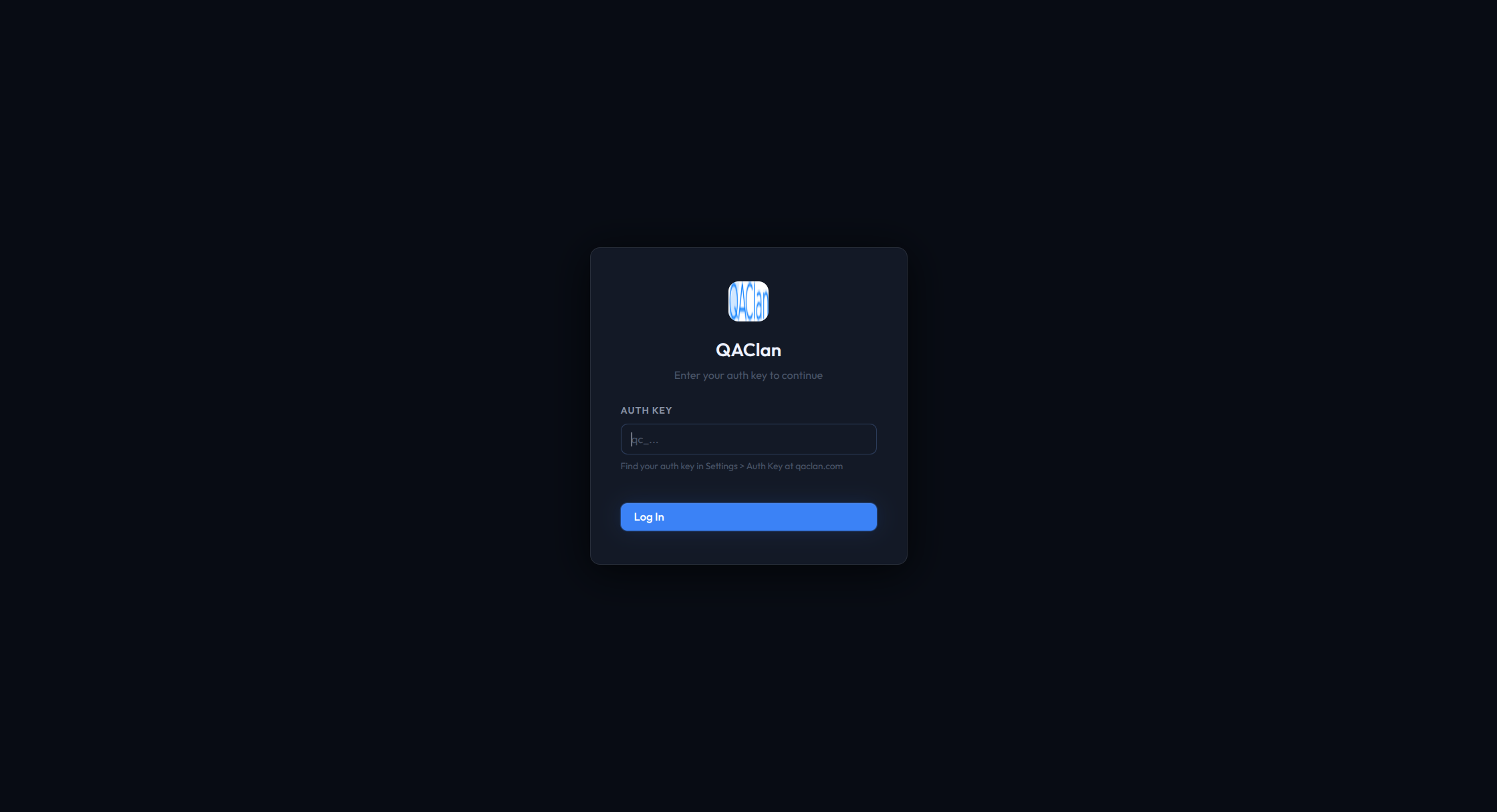
qc_… key from qaclan.com and save.Either way the browser opens at http://localhost:7823 — start managing your Playwright tests locally.
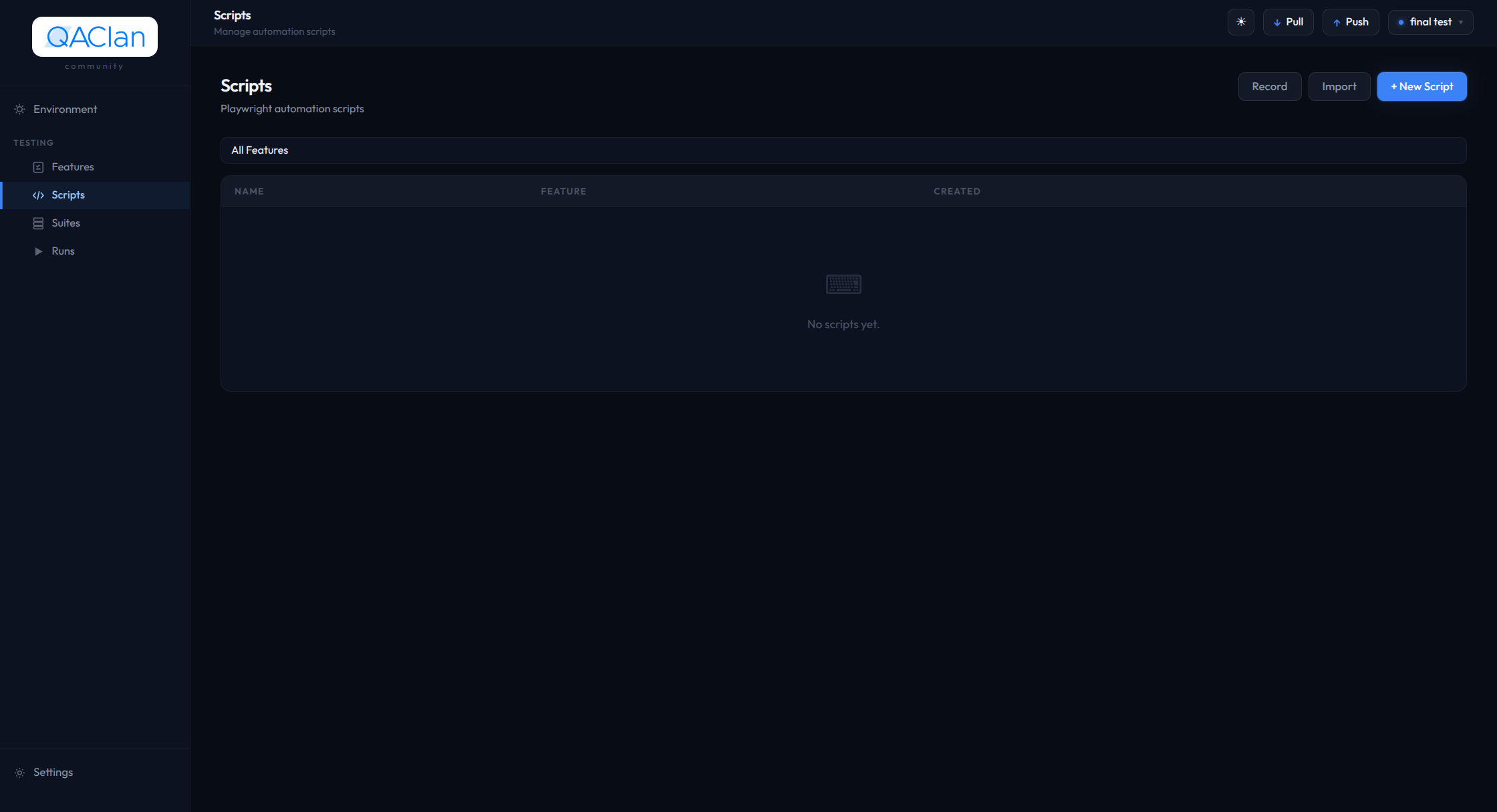
localhost:7823 — your local control center for Playwright tests.A handful of simple ideas — once they click, you know the whole tool. Everything nests like this:
Your workspace — usually one per product.
A group of related scripts, like "Login" or "Checkout".
One automated user flow — recorded or written.
Several scripts run together, in order.
One execution of a suite, with pass / fail results.
Reusable URLs & logins for dev, staging or prod.
Under the hood, a suite holds ordered suite items (references to scripts); a run breaks down into a script run per script and a step run per action. Features carry a web or api channel; scripts can use variables like {{EMAIL}} that an environment fills in at run time. Every entity has a local id and gets a cloud id once synced.
Download the qaclan binary, then run qaclan setup once to provision the runtime. No system Python or Node.js required — the agent ships the CLI, the web UI, and the runner.
The installer places the qaclan binary on your PATH, then provisions the runtime for you. Pick your OS.
$ curl -fsSL https://raw.githubusercontent.com/qaclan/agent/master/install.sh | shInstalls the binary to /usr/local/bin/qaclan. Supports Linux (amd64) and macOS (arm64).
> Set-ExecutionPolicy -Scope Process -ExecutionPolicy Bypass -Force
> irm https://raw.githubusercontent.com/qaclan/agent/master/install.ps1 | iexThe first line lets the installer script run for the current PowerShell session only — Windows blocks unsigned remote scripts by default, and -Scope Process limits the change to this window. The policy reverts when the window closes. The second line places the binary at ~/.qaclan/bin/qaclan.exe and adds that folder to your user PATH. Restart the terminal afterward so qaclan resolves.
qaclan setup once yourself — see Advanced & maintenance below.Confirm the binary is on your PATH and check the installed version with qaclan version:
$ qaclan version
qaclan 0.1.12
qaclan --version prints the same string — use either. A command not found error means PATH is not applied yet — restart the terminal (Windows) or source your shell rc (Linux/macOS), then retry. Compare the version against the releases page to see if an upgrade is available.
Then check agent state:
$ qaclan status
✓ signed out
✓ data dir  ~/.qaclan
✓ no active projectRe-run the installer for your OS — it replaces the existing qaclan binary in place. Your runtime/ folder and local data are left intact.
# Linux / macOS
$ curl -fsSL https://raw.githubusercontent.com/qaclan/agent/master/install.sh | sh

# Windows (PowerShell)
> irm https://raw.githubusercontent.com/qaclan/agent/master/install.ps1 | iex
After an upgrade that bumps the pinned Playwright version, run qaclan reset-runtime followed by qaclan setup --runtime-only to rebuild the runtime cleanly.
Reference for qaclan setup internals, flags, runtime resets, data paths, dev builds, and uninstall. Skip unless you need it.
qaclan setup worksqaclan setup is one idempotent command that bootstraps everything: PATH, binary placement, an isolated Node + Python runtime, and the Chromium browser. Re-running it is safe — completed steps are skipped. The installer scripts run it with --runtime-only; you only invoke it yourself after a direct binary download or to repair a runtime.
setup --runtime-only — the binary is already placed and on PATH, so only the runtime work remains. A hand-download has nothing placed yet, so it runs the full setup (binary move + PATH + runtime).With no flags, on every OS, it performs these steps:
| Step | Action |
|---|---|
| PATH / binary | Copies the binary to the standard location and adds it to PATH |
| Runtime dir | Creates ~/.qaclan/runtime/ |
| Node deps | Installs playwright, @playwright/test, and tsx inside the runtime |
| Python venv | Creates a venv at runtime/venv/ and installs the pinned playwright package |
| Chromium | Installs Chromium into runtime/browsers/ |
Everything lands under ~/.qaclan/runtime/ — no global npm install -g, no global pip, and no externally-managed (PEP 668) errors. Any existing global installs are left untouched.
| Flag | Action |
|---|---|
| (none) | Full install — binary move, PATH, runtime, and Chromium |
--path-only | Binary move and PATH only, skip runtime dependencies |
--runtime-only | Runtime dependencies only, skip binary move and PATH (used by the installer scripts) |
--no-path | Skip the PATH step (binary is already on PATH) |
--no-move | Add the current binary location to PATH without relocating it |
--no-chromium | Skip the Chromium install (faster — for CI or pre-staged browsers) |
--force | Re-run every step even if already initialized |
--path-only and --runtime-only cannot be combined.
If the runtime becomes corrupt — or after a Playwright version bump where you want a clean rebuild — reset it. This deletes only ~/.qaclan/runtime/; your database, scripts, config, and the binary are untouched.
$ qaclan reset-runtime          # asks for confirmation
$ qaclan reset-runtime --yes    # skip the prompt
$ qaclan setup --runtime-only # rebuild afterwardEverything the agent needs sits under ~/.qaclan/:
| Path | Holds |
|---|---|
~/.qaclan/qaclan.db | SQLite — projects, features, scripts, suites, suite items, runs, environments, sync queue |
~/.qaclan/scripts/ | Script .py files on disk (one per script) |
~/.qaclan/runs/ | Per-run artifacts — screenshots, console logs, network logs |
~/.qaclan/state/ | Storage state files per suite (shared Playwright sessions) |
~/.qaclan/config.json | Auth key, server URL, active project id |
~/.qaclan/bin/ | The qaclan binary (added to PATH by qaclan setup) |
~/.qaclan/runtime/ | Isolated dependencies — Node modules, Python venv, Chromium. Rebuilt by reset-runtime |
~/.qaclan/scripts/ into git if you want to share them.Only needed if you're hacking on the agent itself.
$ git clone https://github.com/qaclan/agent.git && cd agent
$ python3 -m venv env && source env/bin/activate
$ pip install -r requirements.txt
$ playwright install chromium firefox webkit
$ python qaclan.py serve --port 7823bash build.sh for a release single-file binary in dist/, or bash build.sh --dev for a faster standalone directory build. Both use Nuitka.The agent ships a cleanup command — it removes ~/.qaclan/ entirely. Pass -y to skip the prompt.
$ qaclan uninstall
? Delete ~/.qaclan (14 projects, 482 scripts)? (y/N)One auth key per user, tied to your qaclan.com account. Grab it from the dashboard, pass it to qaclan login, you're done.
Go to qaclan.com and Sign in with Google — Google OAuth is the only sign-in method. An auth key is generated automatically on first sign-up.
Open Settings → Auth Key to view and copy it. The key looks like qc_… (a qc_ prefix followed by a 32-byte url-safe random token).
$ qaclan login --key <your_auth_key>Same command on every OS. The agent validates the key against the server, then stores it locally (~/.qaclan/config.json).
If you start qaclan serve without being logged in, the first screen prompts for your auth key. Paste it, click Log in, and you're in.
qc_… key and click Log in. Click to enlarge.If a key leaks, open Settings → Auth Key → Regenerate Key on qaclan.com. This invalidates the old key immediately — any agent still using it will need to log in again with the new key.
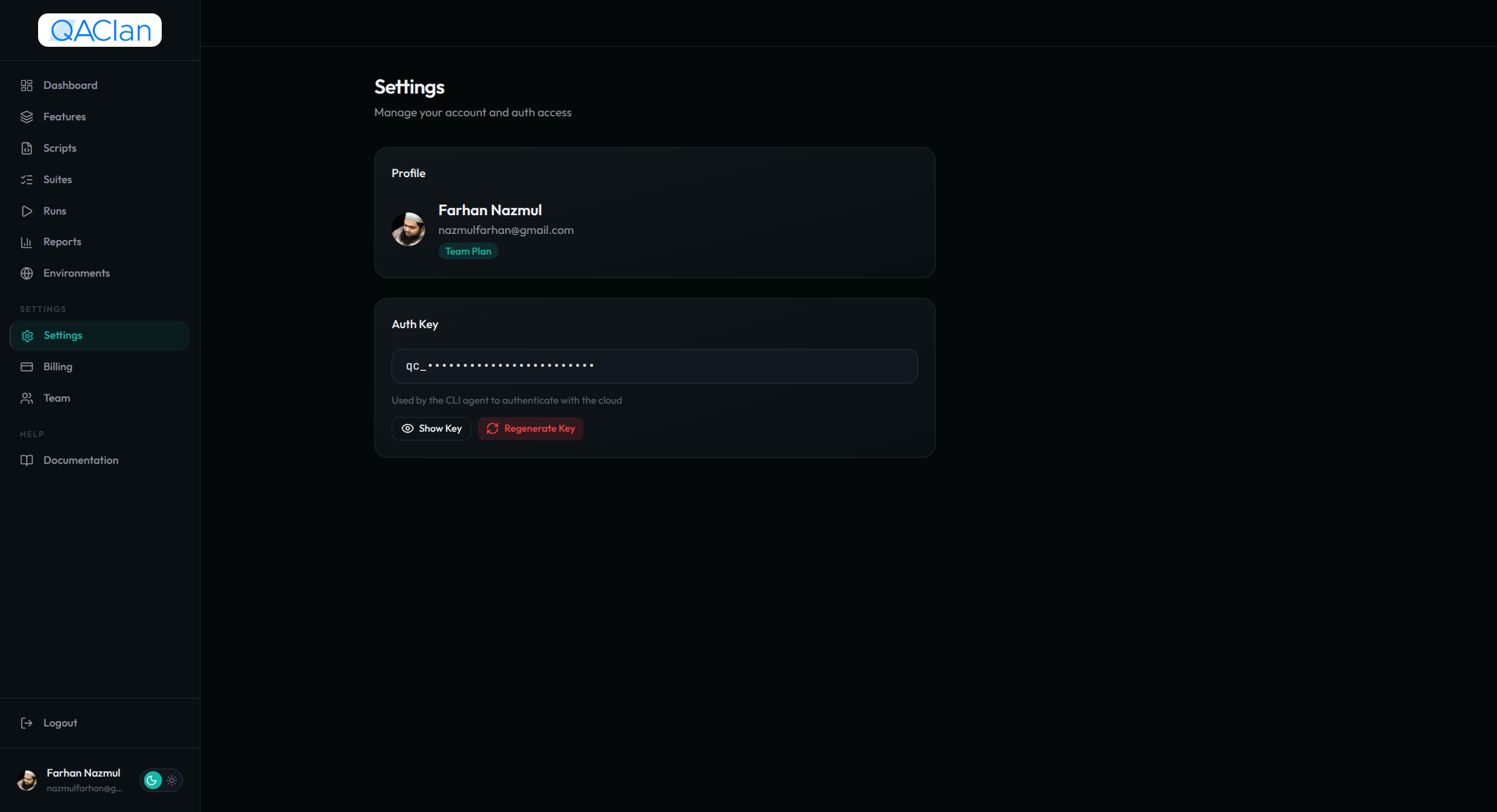 Regenerate Key
$ qaclan logoutRemoves the key from config.json. Subsequent commands (except login, logout, serve) will error until you log in again.
--key.Everything you do day-to-day happens here. Start it with qaclan serve, open localhost:7823, and you land on the Scripts page of the active project.
localhost:7823 — left sidebar (Environment / Features / Scripts / Suites / Runs / Settings) and the top bar with the project switcher and sync controls. Click to enlarge.Variable sets injected at run time.
Group scripts by app area.
Record, write & edit tests — the default page.
Ordered groups of scripts you run as one.
Run history with a full pass/fail breakdown.
Your auth key & connected account.
A project is your workspace — usually one per product. The agent always operates on the active project.
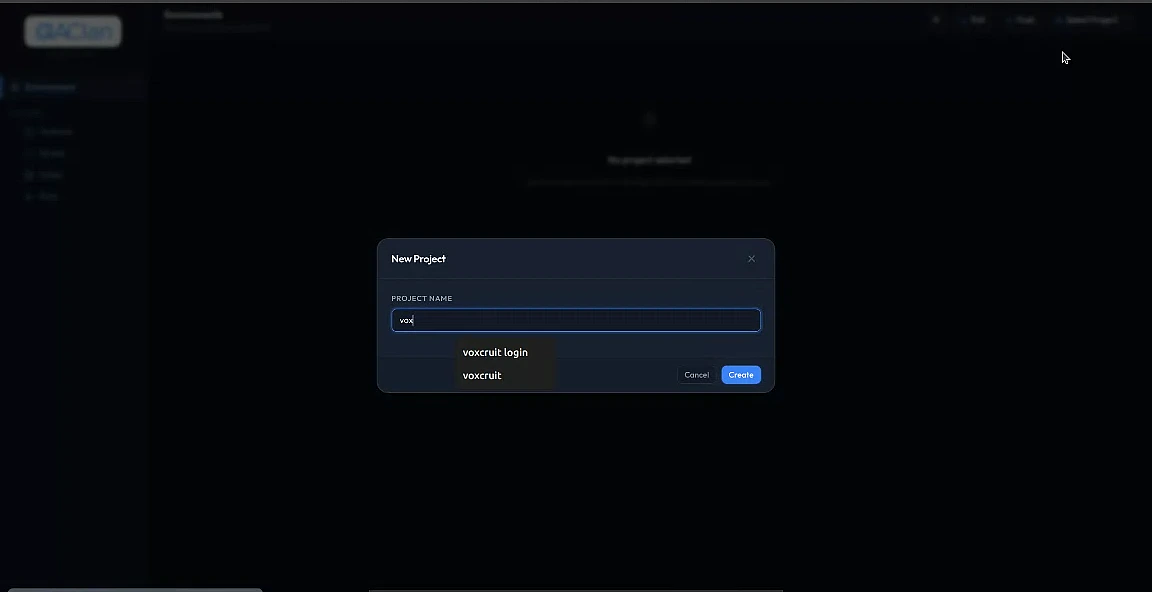
$ qaclan project delete <project_id>Each project has a local id (proj_…) and, once synced, a cloud_id. Deleting cascades to everything beneath it locally; the next sync mirrors the deletion in the cloud.
Features group scripts by app area. A feature has a channel — web for Playwright browser flows, api for HTTP contract checks.
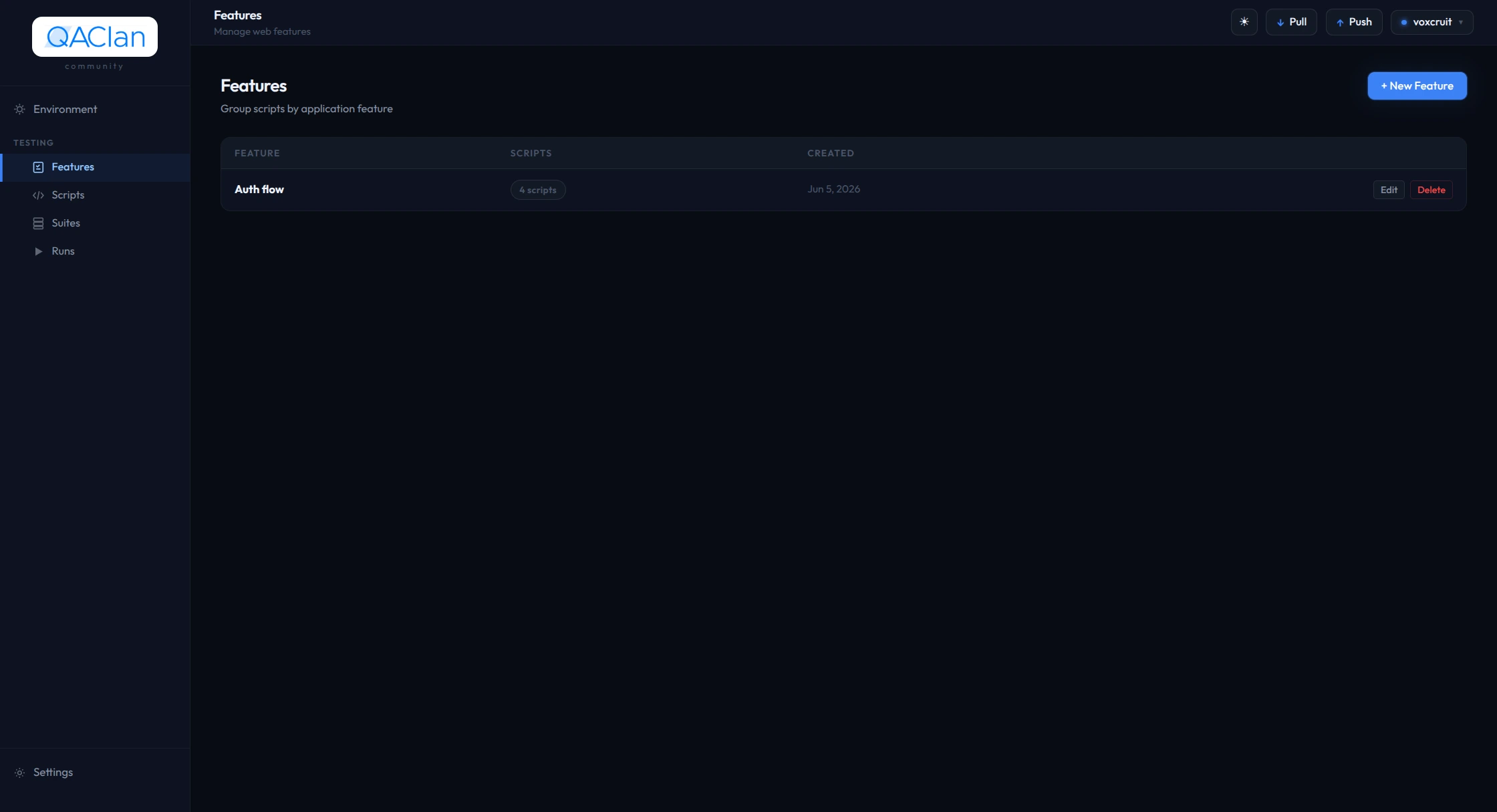
web or api).A script is a single Python file that drives one logical flow. Record it with Playwright codegen, or write it from scratch in the in-browser editor.
{{BASE_URL}}).RECORDED.{{BASE_URL}} so the same script runs against dev, staging, and prod. The agent substitutes from the active environment at run time.Prefer code? + New script opens the in-browser editor with a template. The agent can also review a recorded script and suggest cleaner selectors and stronger assertions.
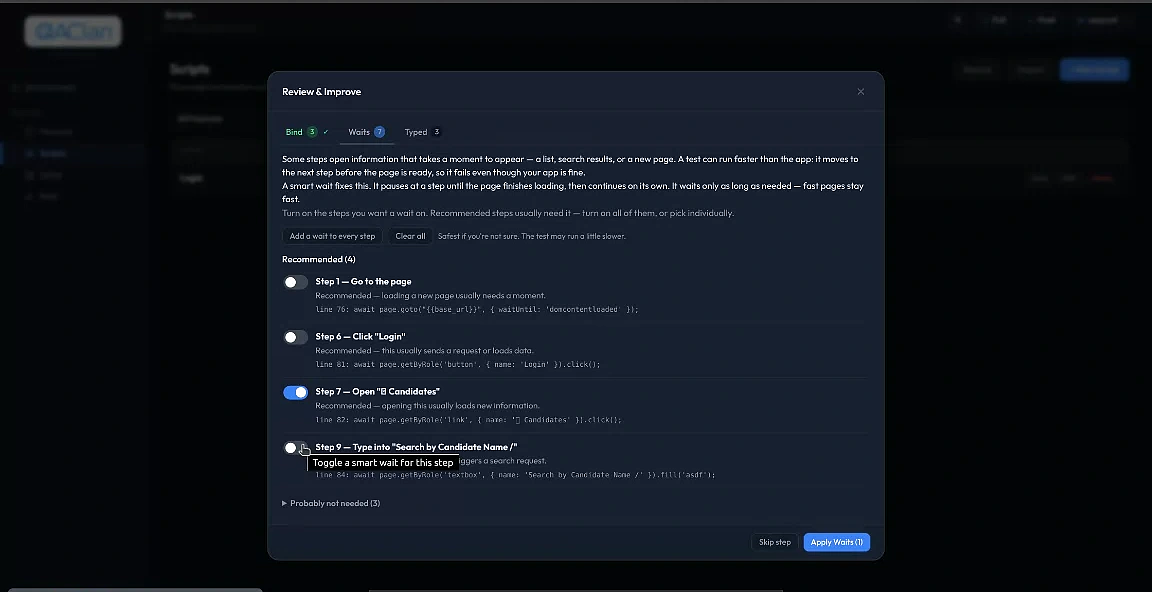
Write {{KEY}} anywhere in a script or its start URL — the active environment fills it in at run time, so one script runs against any environment. Edit any script by clicking it; rename inline; delete from the row menu.
Editor: CodeMirror 6 (Python) — ⌘S save, ⌘/ comment, ⌘F find. A recorded script looks like this:
from playwright.sync_api import sync_playwright

with sync_playwright() as p:
    browser = p.chromium.launch()
    context = browser.new_context()   # agent rewrites this at runtime
    page    = context.new_page()

    page.goto("{{BASE_URL}}/login")
    page.get_by_label("Email").fill("{{EMAIL}}")
    page.get_by_role("button", name="Sign in").click()
    browser.close()
Before each run the agent patches the script in memory — you never write this:
{{KEY}} becomes the real value.Pass / fail: a script passes on exit 0; any other exit (exception, assertion, timeout) fails.
A suite is an ordered list of scripts you run as a unit. Scripts share browser session state through the suite.
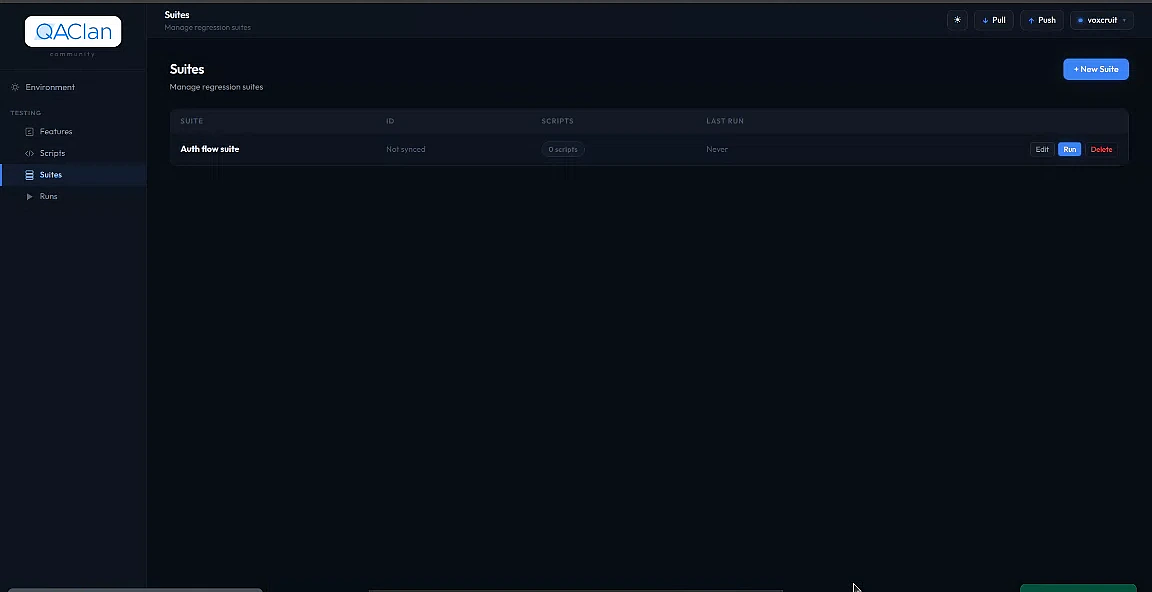 1Create a suite
2Run it
1Create a suite
2Run it
Every script in a suite shares one QACLAN_STORAGE_STATE — one script's cookies, localStorage and auth flow into the next (see Scripts → runtime patching).
The same script can live in any number of suites (Smoke, Full Regression…) — stored once, each suite holds a reference with its own order. Remove one via the row menu → Remove from suite; the script itself is untouched.
Open any suite, hit Run. The run dialog asks for browser, resolution, headless mode, stop-on-fail, and environment.
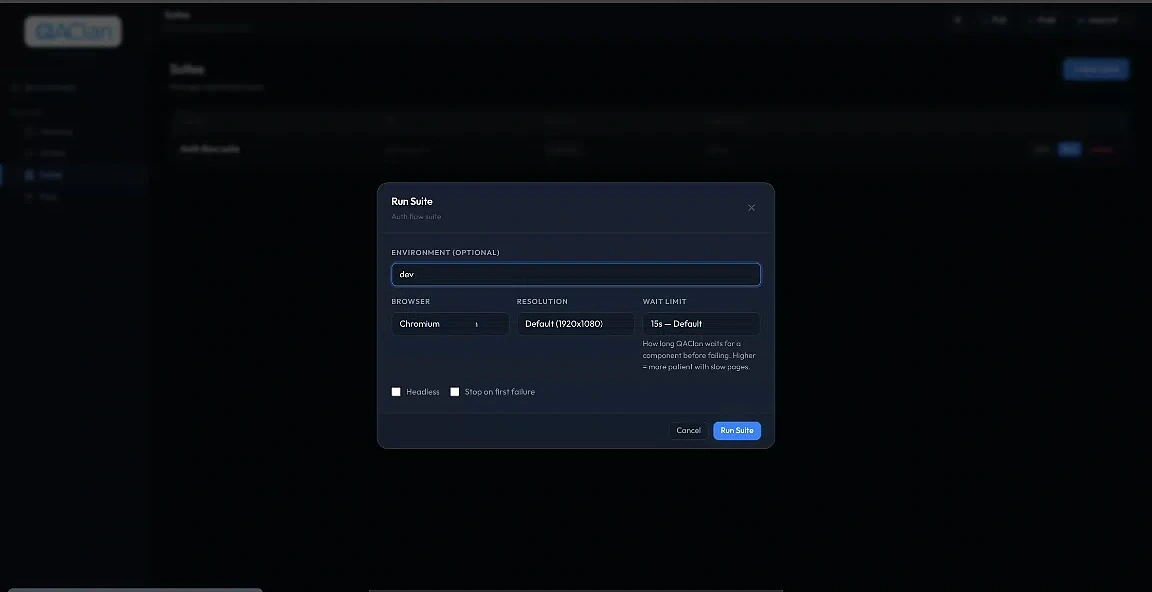 1Environment
2Browser & resolution
3Run the suite
1Environment
2Browser & resolution
3Run the suite
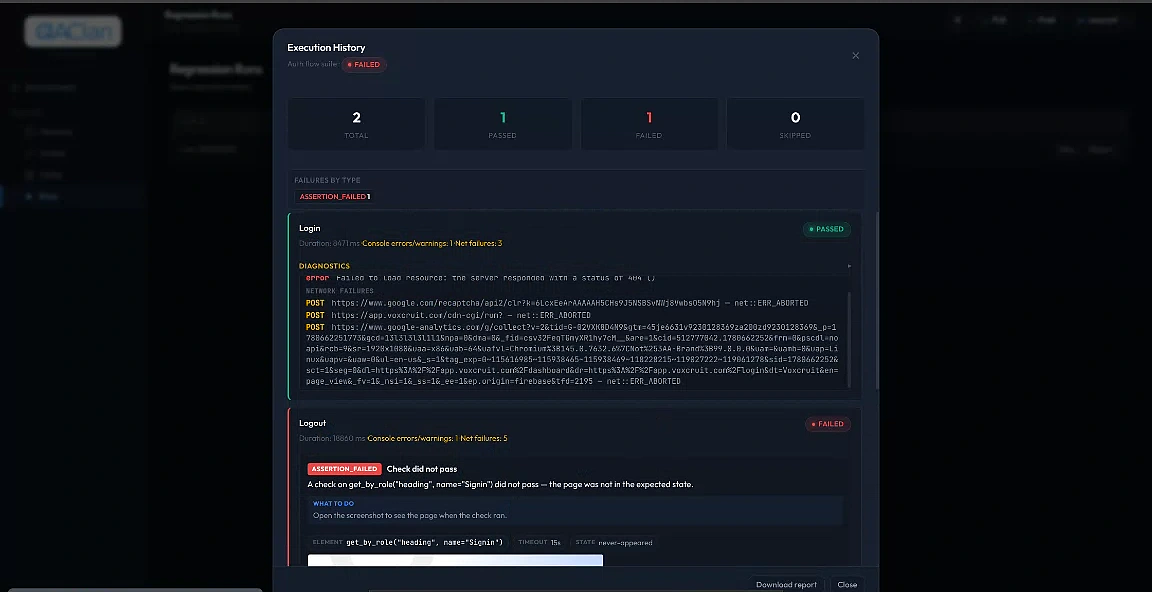 1Pass / fail totals
2Failure + diagnostics
1Pass / fail totals
2Failure + diagnostics
| Option | Default | Description |
|---|---|---|
| Environment | none | Which environment to apply — its vars are injected into os.environ for every script subprocess and used to resolve {{KEY}} placeholders. |
| Browser | chromium | One of chromium, firefox, webkit. |
| Resolution | 1280x800 | Viewport WxH. Stored on the suite run for reference. |
| Headless | on | Toggle the visible browser window. Uncheck to watch the run happen. |
| Stop on fail | off | Abort the suite the moment any script fails. |
The Runs page streams in real time — each row flips QUEUED → RUNNING → PASSED / FAILED, with a total / passed / failed / skipped rollup. A suite passes only if every script passes.
Every run captures status, duration, console & network errors, the failure message, a screenshot on failure, and a step-by-step timeline.
Click any script run for its console log, network log, step timeline and screenshot. All artifacts live under ~/.qaclan/runs/<run_id>/ — bring your own viewer if you prefer.
Named bags of variables. Apply one at run time and its values are injected into the script subprocess and used to resolve {{KEY}} placeholders. The sidebar item is labelled Environment (singular).
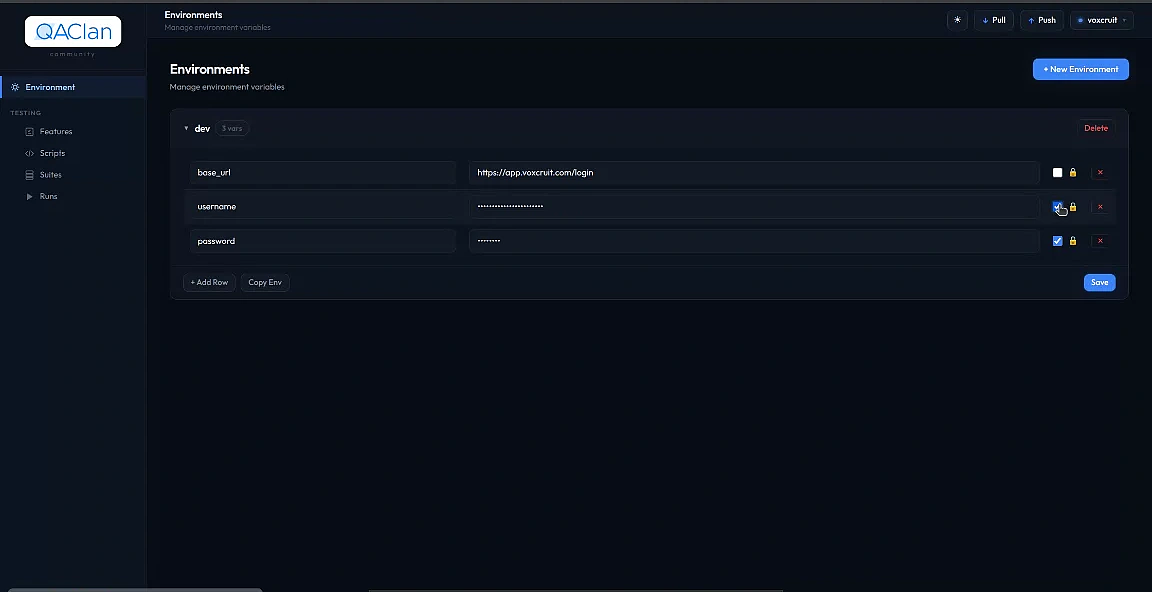
dev / staging) with a base URL, credentials, and a secret-toggle per variable. Click to enlarge.dev, staging, prod…).{{KEY}} resolves; a missing key fails fast before any browser opens.Row menu → Duplicate copies an environment — handy for "staging from dev, change two values". At run time each variable is also available as os.environ["KEY"] in the script subprocess.
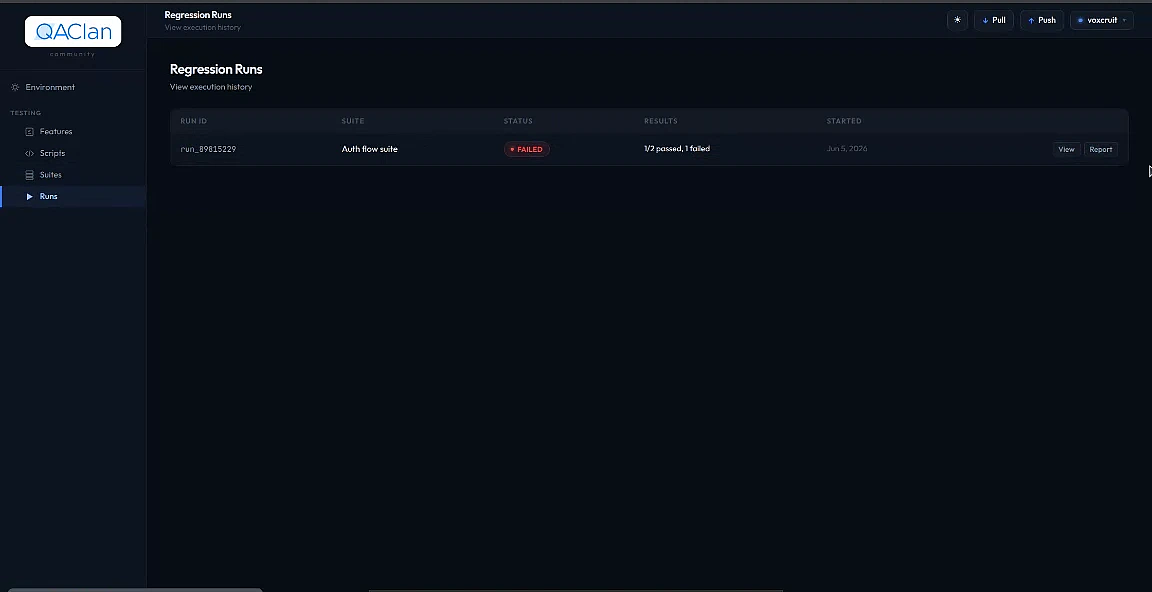
Sync is best-effort. Changes are queued locally and a background worker pushes them to the server. Failures never block the agent — they retry with backoff.

voxcruit). Click to enlarge.QAClan syncs automatically in the background — keep working offline as long as you like, nothing is lost. The Push (↑) and Pull (↓) buttons in the top bar just force it to happen now.
Everything the agent tracks — including your .py file contents:
Each change lands in a local queue (upsert / delete); a background worker drains it in dependency order and retries failures with backoff. Pushes are idempotent (keyed by cloud_id) — re-pushing after a blip is always safe.
Offline: the queue just grows; the next successful call drains it. No feature needs the server reachable.
New machine: qaclan pull (or the Pull button) recreates every project, script file, environment and recent run locally.
See how healthy your tests are across the whole team — at a glance, on qaclan.com.
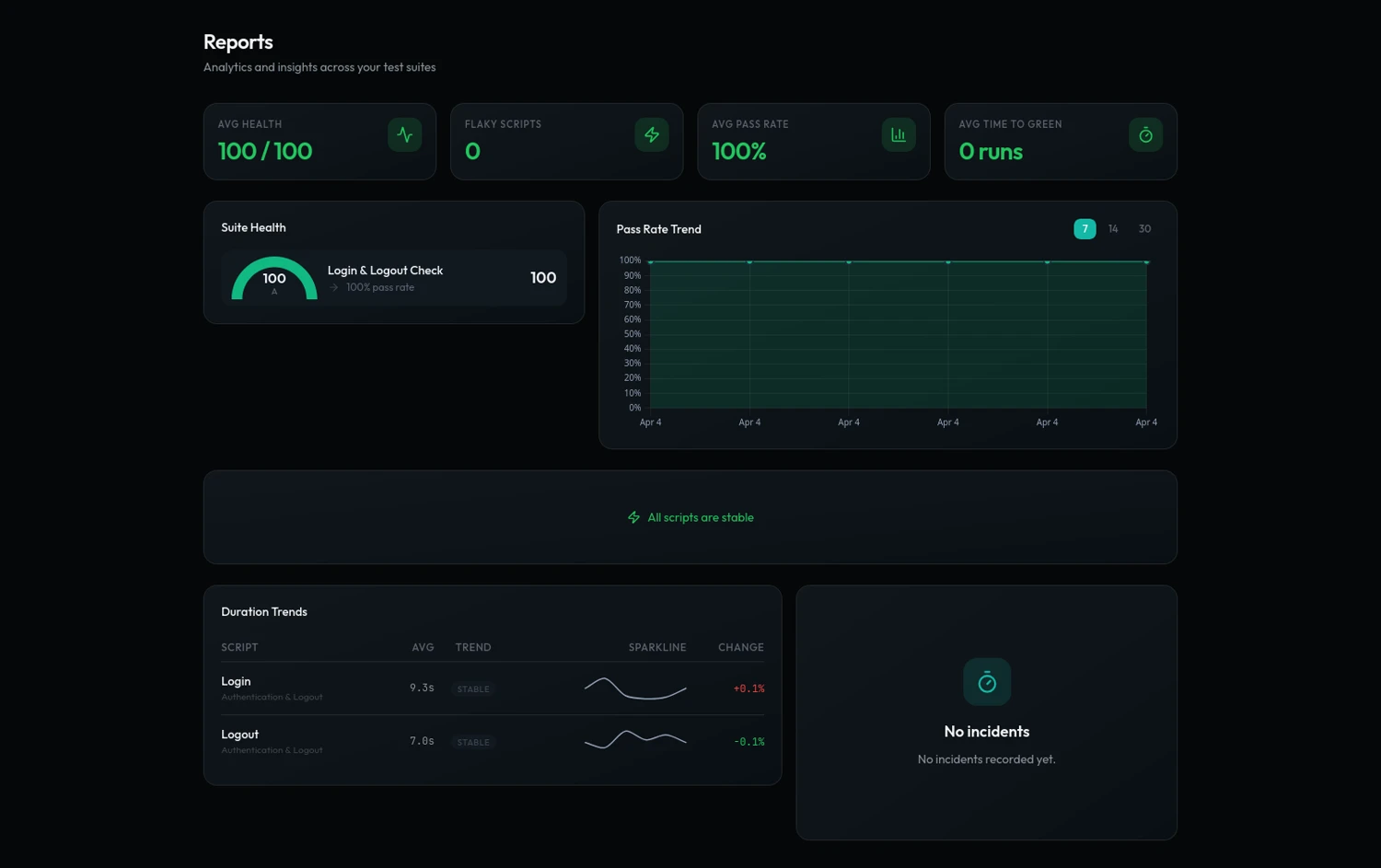
An A–F score per suite — compare reliability instantly.
Pass % over 7 / 14 / 30 days — improving, declining, or stable.
Tests that flip pass ↔ fail, ranked worst-first.
Which scripts are slowing down before they start timing out.
How many runs it took to recover after each failure.
Which script breaks first most often — your top regression.
Gemini scores a script for brittleness, gaps & quality.
New workspaces show “not enough data” until a suite has run 3+ times — trends need history.
| Metric | Formula |
|---|---|
| Suite health | pass_rate × 100 − flakiness × 30, ± trend, graded A–F |
| Flaky score | transitions / (total_runs − 1); > 0.3 = flaky |
| AI analysis | gemini-2.0-flash · result cached server-side |
Invite teammates, share a common view of the workspace and run history, pay per seat. Any teammate can pull the shared workspace and run the same suites locally.
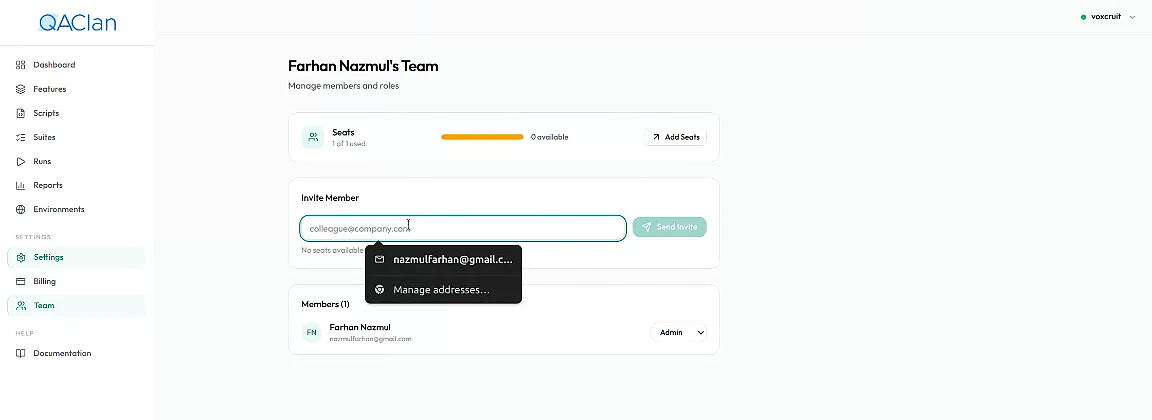
qaclan login then qaclan pull (or the Pull button) — every project, script & environment lands locally, ready to run.$ qaclan login --key <their_auth_key>
$ qaclan pull
✓ 6 projects · 84 features · 482 scripts · 12 environmentsProjects, scripts (with file contents), environments & values, full run history, and analytics.
Auth keys (one per user) and local run artifacts — screenshots & traces stay on the machine that ran them.
Billing: $30 per active seat / month via Paddle — add or remove seats anytime, prorated on the next invoice.
The CLI is for CI, automation, and headless workflows. Everything you can do in the web UI, you can do from the terminal. Run qaclan <command> --help for the exhaustive flag list.
Five commands bypass authentication — login, logout, uninstall, serve, and the hidden _pw-install. Every other command requires a valid stored auth key; unauthenticated calls exit non-zero with a hint to run qaclan login.
| Command | Description |
|---|---|
qaclan login [--key KEY] [--server URL] | Validate the auth key and store it in ~/.qaclan/config.json. Prompts interactively if --key is omitted. --server overrides the cloud endpoint. |
qaclan logout | Clear the stored auth key. |
qaclan status | Print active project, counts of features / scripts / suites / runs, and last sync time. |
qaclan serve [--port 7823] [--host 127.0.0.1] [--no-browser] | Start the local Flask web UI. --host 0.0.0.0 for Docker. --no-browser skips auto-opening a browser tab. |
qaclan push [--all] | Force a full resync — enqueues every entity and drains the sync queue. --all covers every project; otherwise only the active one. |
qaclan pull | Download the team workspace from the cloud and merge into the local DB by cloud_id. Recreates script files on disk. |
qaclan uninstall [-y, --yes] | Delete ~/.qaclan/ entirely. -y skips the confirmation prompt. |
sync commandSync happens automatically in a background worker; use push to force it and pull to fetch.| Command | Description |
|---|---|
qaclan project create <name> | Create a project and make it active. |
qaclan project list | List all local projects; marks the active one. |
qaclan project use <project_id> | Switch the active project by id (proj_…). |
qaclan project show | Print details for the active project. |
qaclan project delete <project_id> | Cascade-delete a project and everything under it. Interactive confirmation. |
| Command | Description |
|---|---|
qaclan env create <name> | Create an environment under the active project. |
qaclan env list [<env_name>] | List environments and their variable counts. Pass a name to show that environment's variables. |
qaclan env set <env> <KEY> <value> [--secret] | Set or update a variable. --secret masks the value in env list. |
qaclan env delete <env_name> | Remove an environment. Interactive confirmation. |
| Command | Description |
|---|---|
qaclan web feature create <name> | Create a web-channel feature under the active project. |
qaclan web feature list | List features with script counts. |
qaclan web feature delete <feature_id> | Delete the feature. Shows the cascade impact before confirming. |
Records a new script via Playwright codegen. Launches a visible browser; when you close it, the captured Python is written to ~/.qaclan/scripts/, runtime-patched, and scanned for {{KEY}} placeholders.
| Flag | Description |
|---|---|
--feature <feature_id> | Required. Parent feature. |
--name <name> | Required. Script name. |
--url <url> | Optional. Start URL for codegen. |
| Command | Description |
|---|---|
qaclan web script list [--feature <feature_id>] | List scripts, optionally filtered by feature. |
qaclan web script show <script_id> | Print the script's raw Python source. |
qaclan web script import <file_path> --name <name> --feature <feature_id> | Import an existing .py file. Injects storage-state handling and scans for {{KEY}} placeholders. |
qaclan web script patch | Re-patch every script to current runtime-patch standards. Idempotent — skips already-patched files. |
qaclan web script delete <script_id> | Delete a script and its file. Shows suite memberships before confirming; cascades to suite items. |
~/.qaclan/scripts/ in your editor of choice, or use the web UI.| Command | Description |
|---|---|
qaclan web suite create <name> | Create an empty suite. |
qaclan web suite list | List suites with script counts, last-run timestamp and status. |
qaclan web suite show --suite <suite_id> | Print suite details and its ordered scripts. |
qaclan web suite add --suite <suite_id> --script <script_id> | Append a script. Channel must match. |
qaclan web suite reorder --suite <suite_id> --scripts id1,id2,id3 | Replace the suite's order with a comma-separated list of script ids. |
qaclan web suite remove --suite <suite_id> --script <script_id> | Remove a script from the suite. |
qaclan web suite delete <suite_id> | Delete the suite. Interactive confirmation. |
Execute a suite. --suite accepts a local id, cloud id, or exact suite name within the active project.
| Flag | Type / default | Description |
|---|---|---|
--suite <suite_ref> | string — required | Suite to run. |
--env <env_name> | string | Apply an environment — injects vars into each script subprocess and resolves {{KEY}} placeholders. |
--browser | choice — chromium | One of chromium, firefox, webkit. |
--resolution <WxH> | string | Viewport, e.g. 1920x1080. |
--headless | bool — off | Hide the browser window. |
--stop-on-fail | bool — off | Abort the suite on the first failing script. |
# staging smoke on tablet viewport, headless, stop on first failure
$ qaclan web run --suite Smoke --env staging \
    --browser firefox --resolution 1024x768 --headless --stop-on-fail

# all three engines in a loop
for b in chromium firefox webkit; do
  qaclan web run --suite "Full Regression" --browser $b --headless
doneqaclan runs is a hybrid — invoked without a subcommand it prints the list; the detail view lives under the sibling run group.
| Command | Description |
|---|---|
qaclan runs [--suite <suite_id>] | Print a table of recent suite runs. Optional --suite filter. |
qaclan run show <run_id> | Detailed breakdown of a single suite run — per-script results, error messages, counts. |
The api group is scaffolded but not implemented. Subcommands currently print a "coming soon" notice:
qaclan api feature create|list|deleteqaclan api suite create|listqaclan api run --suite <id> [--env <name>]qaclan serve and you'll see every change live.Free forever for solo QA — no limit on what you can test locally. Team dashboards and analytics on the Pro plan.
| Capability | Solo | Pro |
|---|---|---|
| Local agent, web UI, full recorder | ✓ | ✓ |
| All three browsers (Chromium / Firefox / Webkit) | ✓ | ✓ |
| Unlimited scripts & suites | ✓ | ✓ |
| Offline runs, local history | ✓ | ✓ |
| Cloud run history on qaclan.com | ✓ | ✓ |
| Team workspace & invitations | — | ✓ |
| Pass rate & duration trends | — | ✓ |
| Flaky test detection | — | ✓ |
| Gemini failure summaries | — | ✓ |
| Time-to-green tracking | — | ✓ |
| Priority support | — | ✓ |
Recent additions, newest first. Patch releases are folded into their nearest minor entry.
One-sentence AI summaries of every failing run now ship to all Pro teams. Backed by Gemini 2.5 Flash.
The in-browser script editor switched from a plain textarea to CodeMirror 6 with the oneDark theme and Python language support.
The agent now queues unsent items in a local sync_queue table when the server is unreachable and drains on the next successful network call.
qaclan.com now ranks the top N scripts by flip count over the chosen window. Click to see the sequence of runs where it flipped.
--browser webkit works on Linux without extra setup. Playwright bumped to 1.48.
Scripts in a suite now automatically share QACLAN_STORAGE_STATE. Log in once, reuse across the suite — runtime patching handles it transparently.